Deploy
# Install
curl -fsSL https://raw.githubusercontent.com/pocketbasecloud/cli/main/scripts/install.sh | sh
# Login
pbc login
# Clone
git clone https://github.com/everlasting18/syntro-astro && cd syntro-astro
# Database
cd Pocketbase-Cloud && pbc pocketbase deploy --new syntro-pocketbase && pbc pocketbase info --name syntro-pocketbase
# Frontend
cd ../Syntro && PUBLIC_POCKETBASE_URL=<your syntro-pocketbase URL> pbc deploy frontend --new syntro
Overview
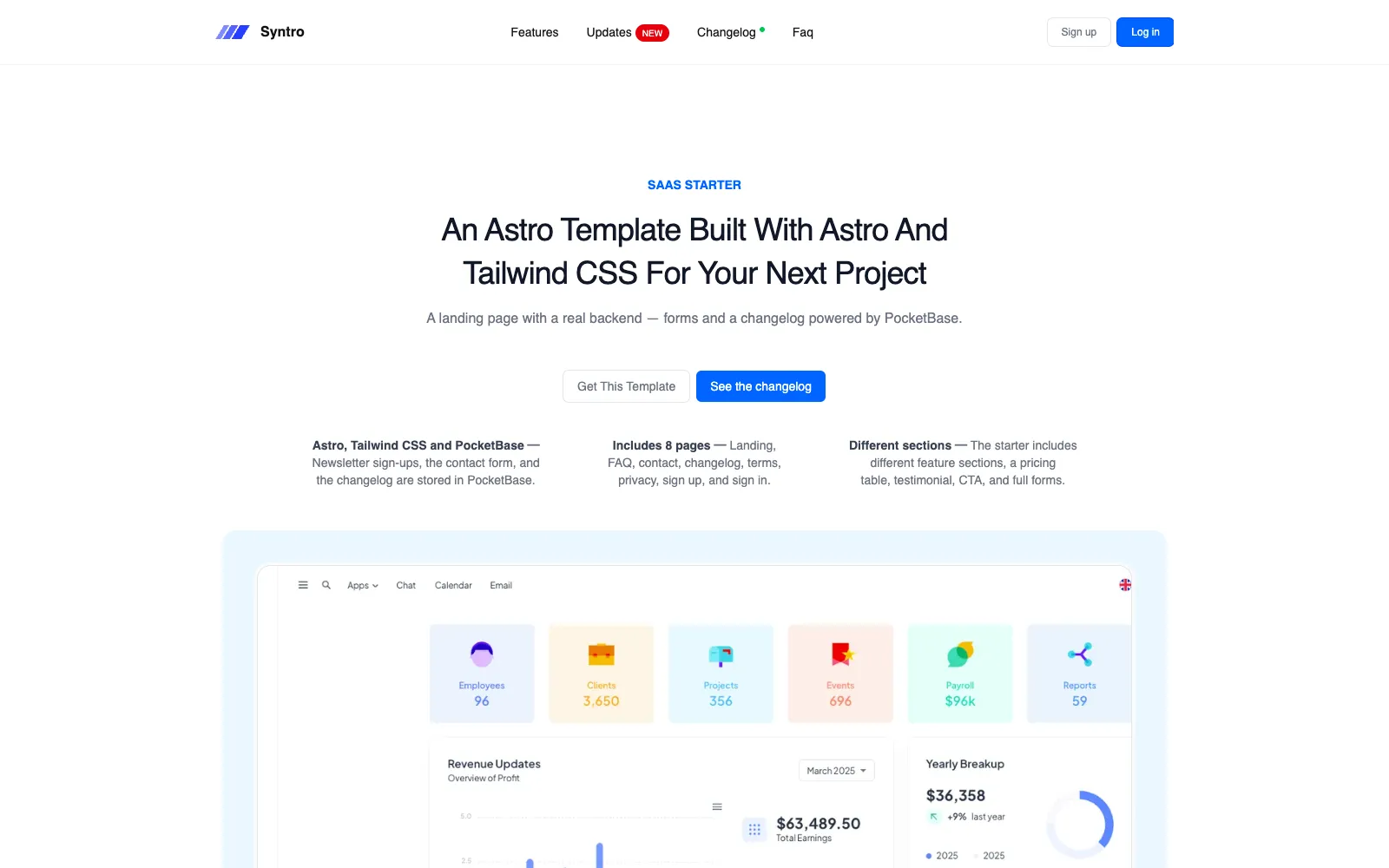
Syntro is a landing page for SaaS products and startups: a hero, feature sections, a three-step “how it works”, a pricing table with a monthly/annual toggle, testimonials, an FAQ, and legal pages. This version keeps that design and adds a PocketBase backend, so the forms and the changelog store real data instead of only looking the part.
Key features
- Newsletter sign-ups — the footer form writes to a
subscriberscollection. Anyone can subscribe; only superusers can read the list, and a repeat address is told it is already subscribed. - Contact form —
/contactwrites to amessagescollection, readable only by superusers. - Changelog from the dashboard —
/changelogloads published entries in the browser, so writing an entry in PocketBase publishes it without a redeploy. Two sample entries ship with the migrations. - Schema as migrations — the collections, their API rules, and the samples
are files in
pb_migrations, so a fresh deploy always comes up complete. - Eight pages — landing, changelog, contact, FAQ, login, sign up, terms, and privacy.
- Astro 7 and Tailwind CSS v4 — static output, no UI framework. Alpine.js drives the mobile menu and the pricing toggle and ships with the bundle.
- Login and sign up — design-only pages, ready for you to wire to PocketBase auth.
Template structure
syntro-astro/
├── Pocketbase-Cloud/        # deploy as a PocketBase instance
│   └── pb_migrations/       # collections, rules, samples
└── Syntro/                  # deploy as a static site
    ├── .env.example         # build-time variables
    ├── astro.config.mjs
    └── src/
        ├── components/
        │   ├── Forms/       # Contact, Login, Signup
        │   ├── global/      # Navigation, Footer, Testimonial
        │   ├── infopages/   # Changelog, Faq, Terms, Privacy
        │   └── landing/     # Hero, pricing, other sections
        ├── layouts/         # BaseLayout
        ├── lib/             # pocketbase.ts, formStatus.ts
        ├── pages/           # one route per file
        └── styles/          # global.css, Tailwind theme
1. Before you start
Install the pbc CLI and log in. The login opens a browser once and is
remembered afterwards.
curl -fsSL https://raw.githubusercontent.com/pocketbasecloud/cli/main/scripts/install.sh | sh
pbc login
The site uses pnpm (the lockfile is Syntro/pnpm-lock.yaml), and pbc installs
dependencies with the package manager the lockfile names, so have it available:
corepack enableBoth parts deploy into one project: the first deploy asks which project to use — pick the one created at signup. See Projects for more.
2. Deploy PocketBase
Deploy
Pocketbase-Cloud/ holds only pb_migrations. Deploy it as a PocketBase
instance:
cd Pocketbase-Cloud
pbc pocketbase deploy --new syntro-pocketbase
--new creates an instance with that name and fails if the name is taken;
--name picks an existing one to redeploy. This first deploy links the
directory, so later deploys from it need neither.
It uploads the migrations and restarts the instance so they run: the three collections, their API rules, and two sample changelog entries exist as soon as it is up. When it asks about an env file, choose not to push one — this template needs none on the database.
The pbc.json file
The first deploy writes pbc.json in the directory. It links the directory to
the project and the resource the deploy created, and records how to package it,
so later commands there need no --name. Pocketbase-Cloud/pbc.json.example
and Syntro/pbc.json.example show its shape:
{
  "build": { "pbMigrations": "pb_migrations" },
  "projectId": "YOUR_PROJECT_ID",
  "kind": "pocketbases",
  "defaultEnvironment": "production",
  "environments": {
    "production": { "id": "YOUR_INSTANCE_ID", "name": "syntro-pocketbase" }
  }
}| Field | Meaning |
|---|---|
build |
What to package: pbMigrations for PocketBase; command and outputDir for the frontend |
projectId |
The project the resource belongs to |
kind |
pocketbases or frontends, so pbc deploy never guesses again |
defaultEnvironment |
The environment a deploy targets when you pass no --env |
environments.<env>.id / .name |
The resource that environment deploys to |
The ids belong to your account, so pbc.json is listed in .gitignore and
only the examples are committed. Don’t copy an example into place: deploy once
and let the CLI write the real file.
Get the URL and the superuser login
A new instance gets a superuser account with your account email and a generated password, printed once at the end of the deploy. Show the instance again at any time:
pbc pocketbase info --name syntro-pocketbaseCopy the instance URL from that output — the frontend needs it. The PocketBase
dashboard is the same URL followed by /_/; log in there with the superuser
account to read sign-ups and messages and to write changelog entries.
Update the schema
Add a new file to Pocketbase-Cloud/pb_migrations — never edit one that has
already run — and deploy again from that directory:
cd Pocketbase-Cloud
pbc pocketbase deploy
New migrations are merged with the ones already on the instance and applied by the restart that follows.
3. Deploy the frontend
Build variables
The Astro site reads two variables. Both are baked into the files at build time, so a change means a redeploy.
| Variable | Required | Purpose |
|---|---|---|
PUBLIC_POCKETBASE_URL |
Yes | The syntro-pocketbase URL from pbc pocketbase info |
PUBLIC_SITE_URL |
No | The site’s public address, for canonical and Open Graph URLs and the sitemap |
Without PUBLIC_POCKETBASE_URL the pages still build, and the forms and the
changelog show a message saying PocketBase is not configured.
Deploy
Name the kind explicitly. Syntro/ has a start script and no Vite config, so a
bare pbc deploy would guess it is a backend.
cd Syntro
PUBLIC_POCKETBASE_URL=https://<id>.<compute>.pocketbasecloud.com \
  pbc deploy frontend --new syntro
--new creates the site; a later deploy from this directory needs no flag.
The CLI installs dependencies, runs pnpm run build, uploads dist/, and waits
for HTTPS. Find the site address afterwards with:
pbc frontend info --name syntroOpen it, subscribe from the footer, send a message from /contact, and check
that /changelog lists the sample entries.
Redeploy
The first deploy links the directory in pbc.json, so from Syntro/ a redeploy
needs no name — only the build variables again:
PUBLIC_POCKETBASE_URL=https://<id>.<compute>.pocketbasecloud.com pbc deploy frontendTo avoid retyping it, put the variables in Syntro/.env (see
Syntro/.env.example); Astro reads that file during the build.
4. Run locally
pbc local init downloads a PocketBase binary for your machine and pins its
version in pbc.json. It never overwrites what is already there, so the
migrations are left alone; it adds a starter pb_hooks/, a README.md, and a
.gitignore that excludes the binary and pb_data/.
cd Pocketbase-Cloud
pbc local init
./pocketbase serve
serve applies the migrations in pb_migrations, so the collections and the
sample changelog entries are there on the first start. It prints a link for
creating a local superuser; the dashboard is at http://127.0.0.1:8090/_/.
In a second terminal:
cd Syntro
cp .env.example .env
pnpm install
pnpm dev
CLI commands used here
| Command | What it does |
|---|---|
pbc login |
Log in to PocketBase Cloud |
pbc pocketbase deploy --new syntro-pocketbase |
Deploy Pocketbase-Cloud/ as a new PocketBase instance |
pbc pocketbase info --name syntro-pocketbase |
Instance URL and superuser login |
pbc deploy frontend --new syntro |
Build and deploy Syntro/ as a new static site |
pbc local init |
Download a PocketBase binary for local development |
pbc frontend info --name syntro |
Site URL |