Custom Domains for PocketBase: Bring Your Own URL
Custom Domains for PocketBase: Bring Your Own URL
This is the feature I’ve been asked for more than any other. It’s also the one I kept putting off, because a custom domain has a terrible failure mode: if you get the DNS wrong, the fix isn’t a redeploy — it’s a trip back to your registrar, a TTL wait, and a page that won’t load for everyone until it propagates.
But every PocketBase instance deserves to look like the product it powers.
An API at api.example.com reads like infrastructure you own, not a hostname
someone handed you. So here it is.
Your domain, served the moment DNS lands
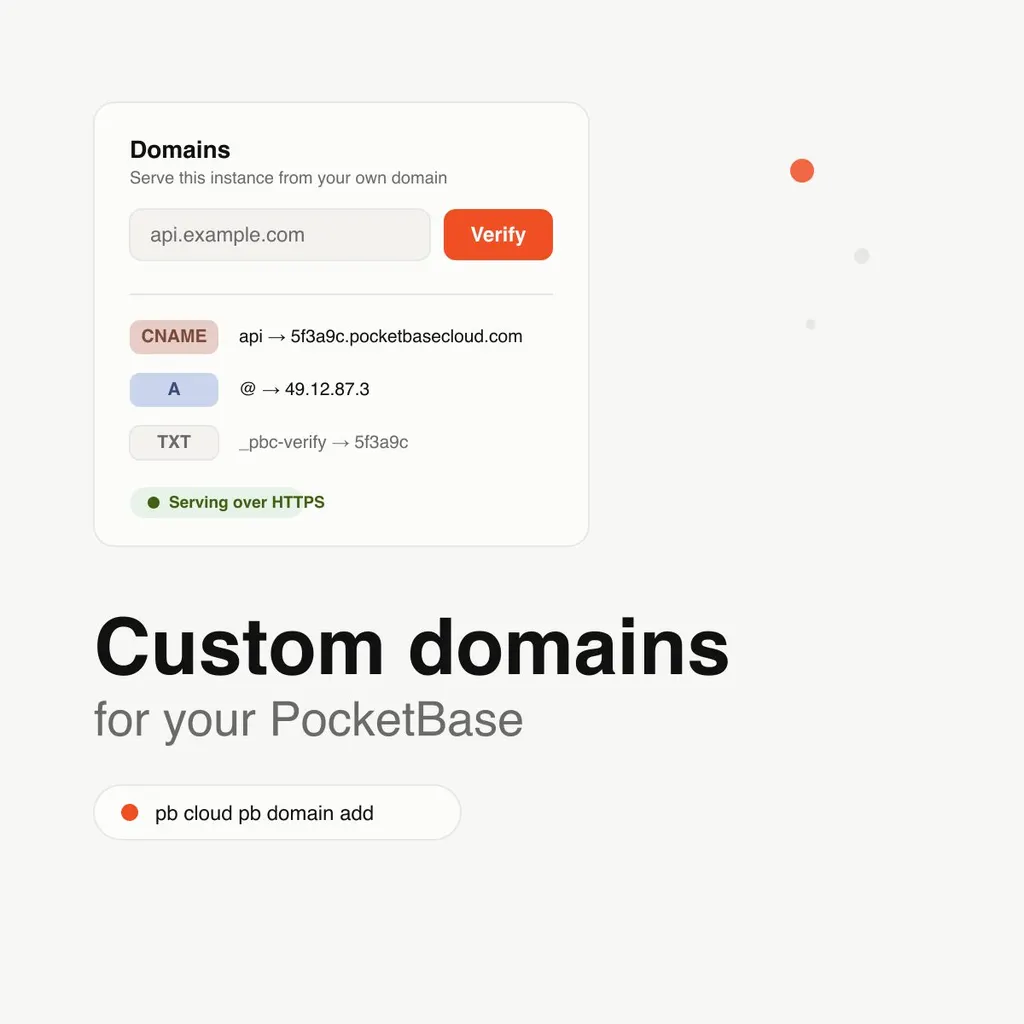
Open any PocketBase instance’s detail page and you’ll find a new Domains section. Enter your domain, and the platform does two things at once:
- It saves the domain and starts the verification process.
- It writes the serving configuration immediately — the instance answers on your domain the moment your DNS points here.
That second part matters. There’s no second round-trip through the platform after you configure DNS, no “click here once it resolves” step that you’ll forget exists. The TLS certificate is obtained automatically on the first request that arrives.
The DNS part, explained
The portal shows you exactly which record to create:
- Subdomain (
api.example.com): aCNAMEpointing at{instance-id}.pocketbasecloud.com - Root domain (
example.com): anArecord pointing at the server’s IP - Cloudflare-proxied: a
TXTrecord,_pbc-verify, with your instance id as the value — the platform checks it to confirm the domain is actually yours
Verification runs on the platform’s side, checking your records against the zone’s own nameservers rather than a cached answer. When it passes, the domain is exclusively yours — no other deployment on PocketBase Cloud can claim it while you hold it.
The CLI, of course
Frontends have had domain commands for a while. PocketBase joins them:
pbc cloud pb domain add api.example.com --name my-app
pbc cloud pb domain verify api.example.com --name my-app
pbc cloud pb domain remove api.example.com --name my-app
Add from the terminal, watch the portal show it verified, or the other way around. They’re the same records either way.
Teams can manage it
If you’ve shared the project through an organization, your developers can manage the domain too — they already deploy the instance, so gating the domain behind the owner alone would have made no sense. Deleting the instance itself stays with the owner.
Custom domains are available on the Starter and Pro plans. If you’re on Free, the portal will point you at the upgrade when you open the section — one button, no hunting.
Your PocketBase instance has a name. Now it gets to use yours.